Every flight you've ever taken
Forward a booking confirmation. TravStats reads the route, draws the arc on your globe, and remembers it forever — from the first transatlantic to last weekend's hop.
Your trips · Your map · Your story
Forward a booking email — TravStats reads it, draws the route on your globe, and never lets your data leave your server.
How it works
TravStats reads the confirmations airlines, cruise lines and hotels send you anyway — as a forwarded mail, a .msg or .eml file, a PDF, or a photo of a bill. A document announces itself as a flight, a cruise or a hotel; a boarding pass is read by its barcode first; a marketing newsletter does not become a flight. Every other detail stays where it was. Pick a sample below to see what the parser sees.
Extracted
Flight
LH 401
From
Frankfurt (FRA)
To
New York JFK (JFK)
Date
15 June 2026
Cabin
Economy
Privacy mode active. These are fictional booking confirmations with fake passenger names, PNRs and card numbers. In your own self-hosted TravStats, your real emails are parsed locally — they never leave your server.
Best results come from the Ollama parser (local LLM, recommended). Without an LLM, the deterministic templates — Booking.com, known airlines, package-tour documents — and the document detection still run; anything no template recognises needs Ollama.
What it looks like
The web UI runs on your laptop, your tablet and your phone. Five views you will spend most of your time in:
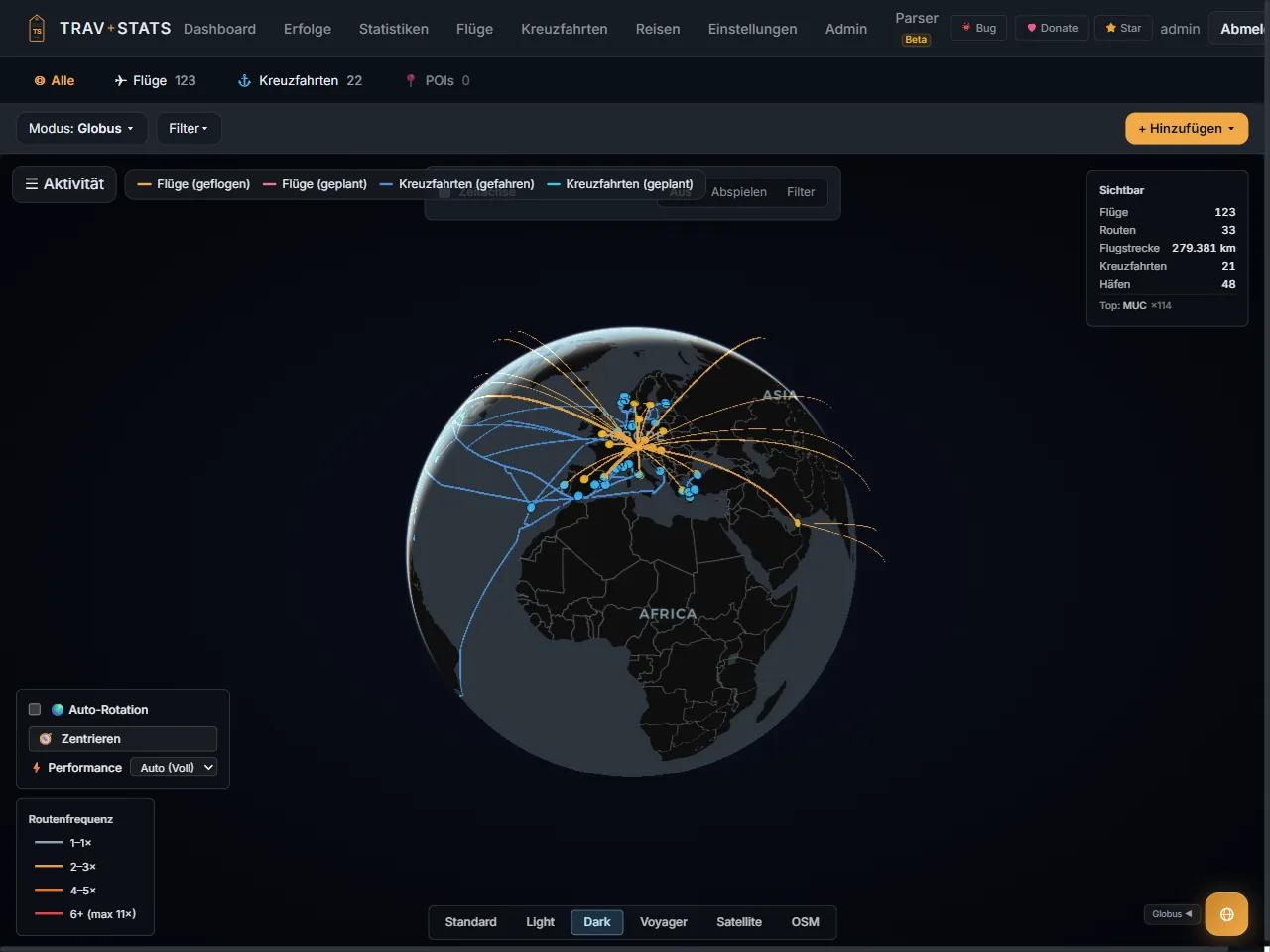
Globe
Every flight as a great-circle arc, every cruise as a sea route — all domains on one globe.
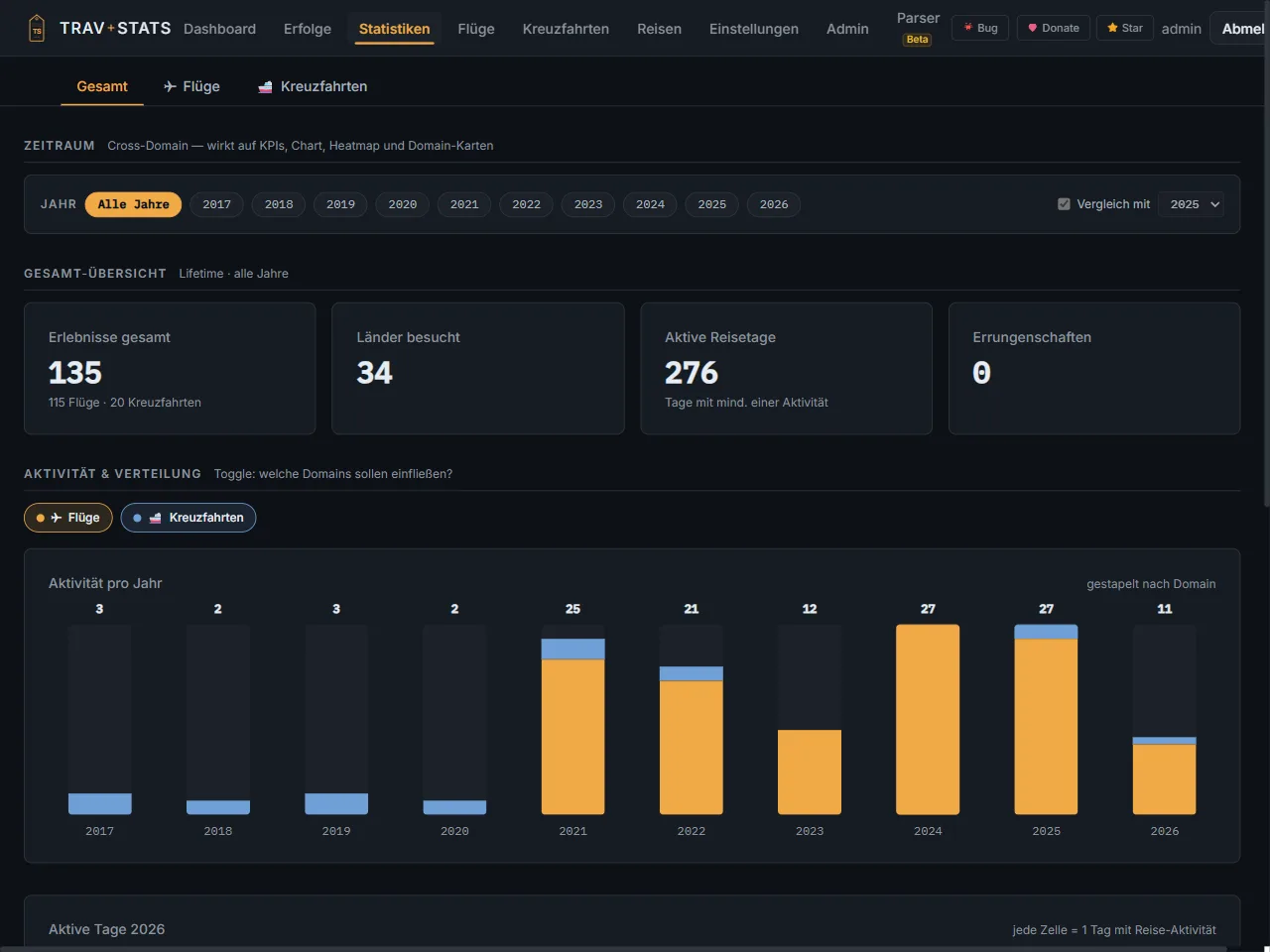
Statistics
A tab per domain and one for everything; each year on its own or side by side.
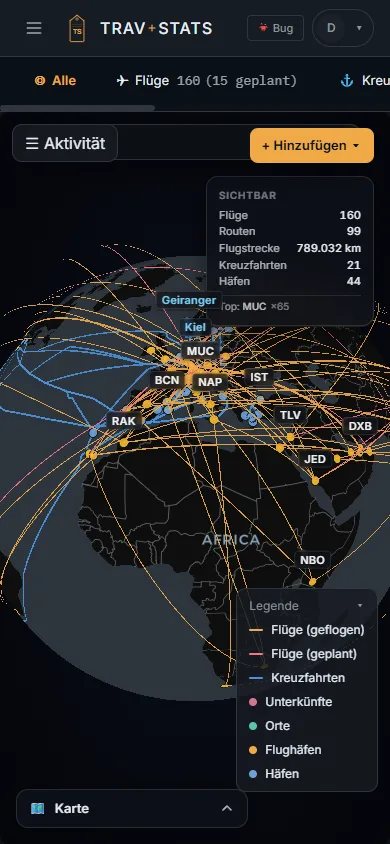
On the phone
The same web UI at 390 pixels wide — no separate layout, the same data.
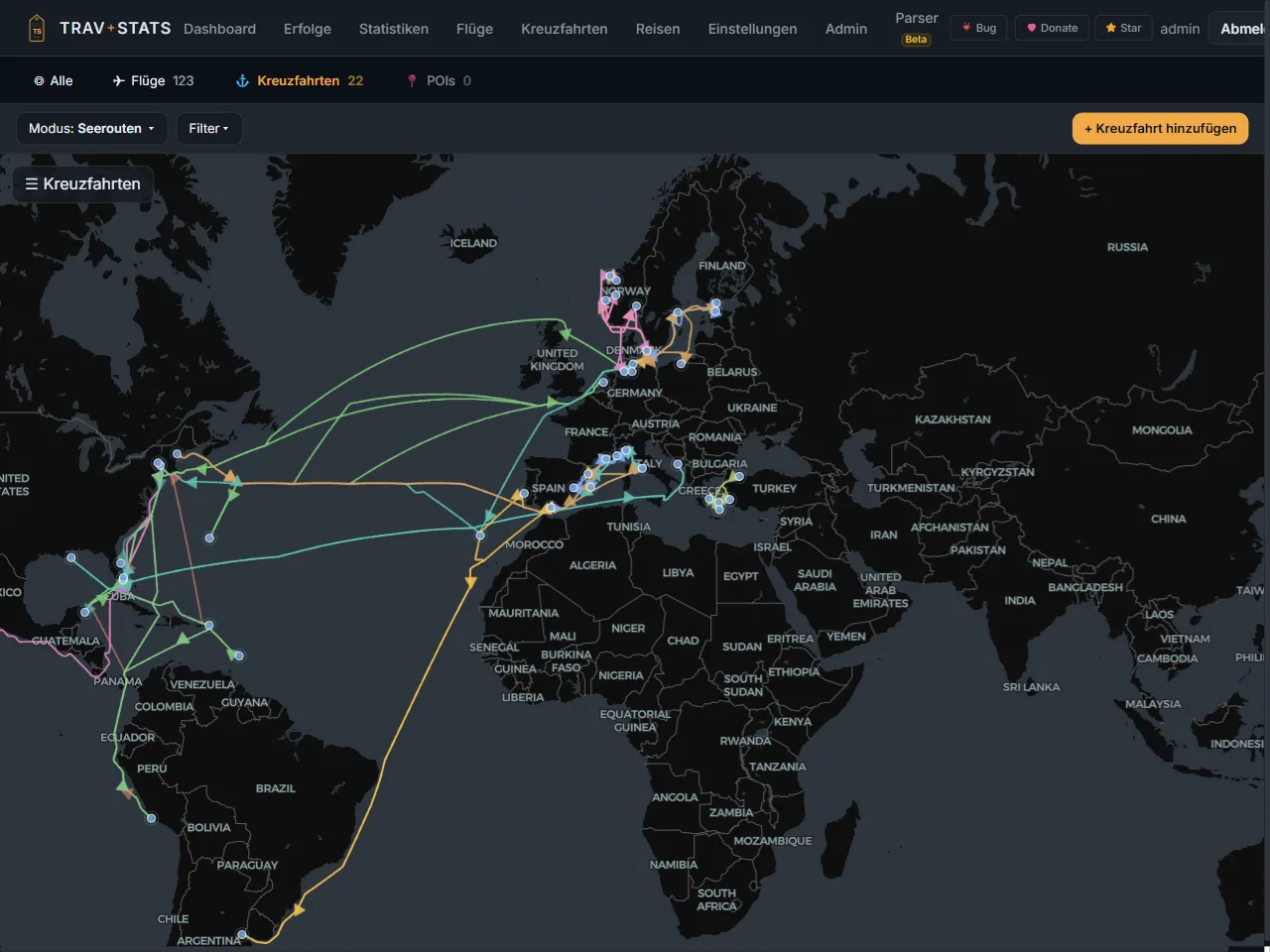
Cruise
Every port, every sea day, the sea route on the map — and a button to correct it by hand.
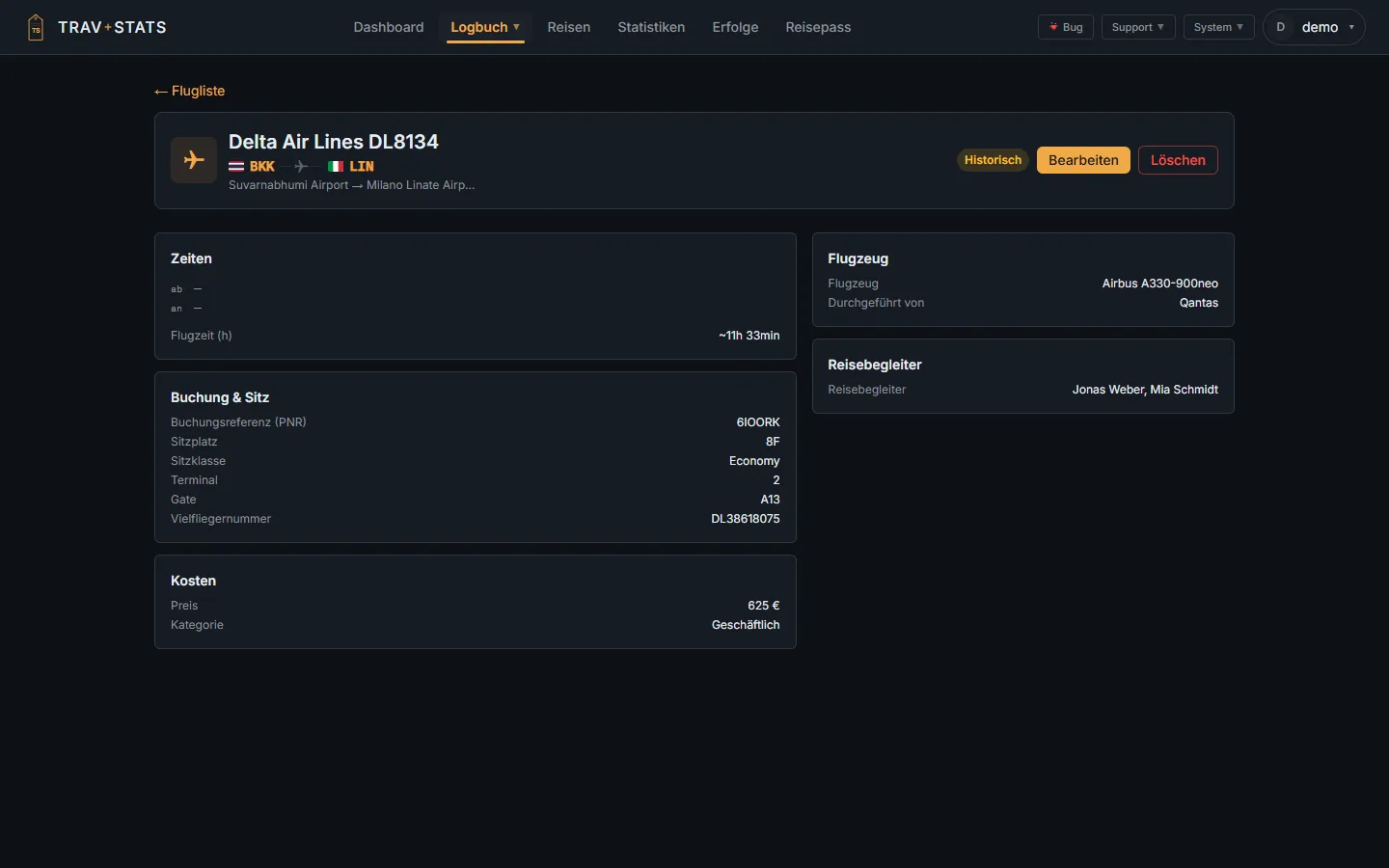
Flight
Every flight has a page to read it on — seat, gate, booking, aircraft, price, companions.
Real screenshots from TravStats 2.6.0 — demo account, unedited. They show the German interface; the app is available in English too.
Why TravStats
Forward a booking confirmation. TravStats reads the route, draws the arc on your globe, and remembers it forever — from the first transatlantic to last weekend's hop.
Flights are just the start. Import a cruise from email or PDF: the ship, every port, every sea day — and the flights of a fly & cruise trip along with it. The sea route is computed, and you can correct it by hand.
TravStats lives in a Docker container on your own hardware. No ads. No analytics. No terms of service that change next week.
How many miles? How many countries? Most-flown airline? TravStats answers questions you didn't think to ask about your own travel history.
Drop your Flightradar24 export, an OpenFlights CSV, or any per-flight spreadsheet. TravStats maps the columns, shows you a preview, and imports — in seconds, not an evening.
Lodging
Stays are kept like flights and cruises: a house with its chain, address and pin on the map, and under it every stay with room, board, per-category ratings, price, loyalty programme and the trip it belongs to. Photos of the building, the lobby or the view hang off the hotel and survive every stay.
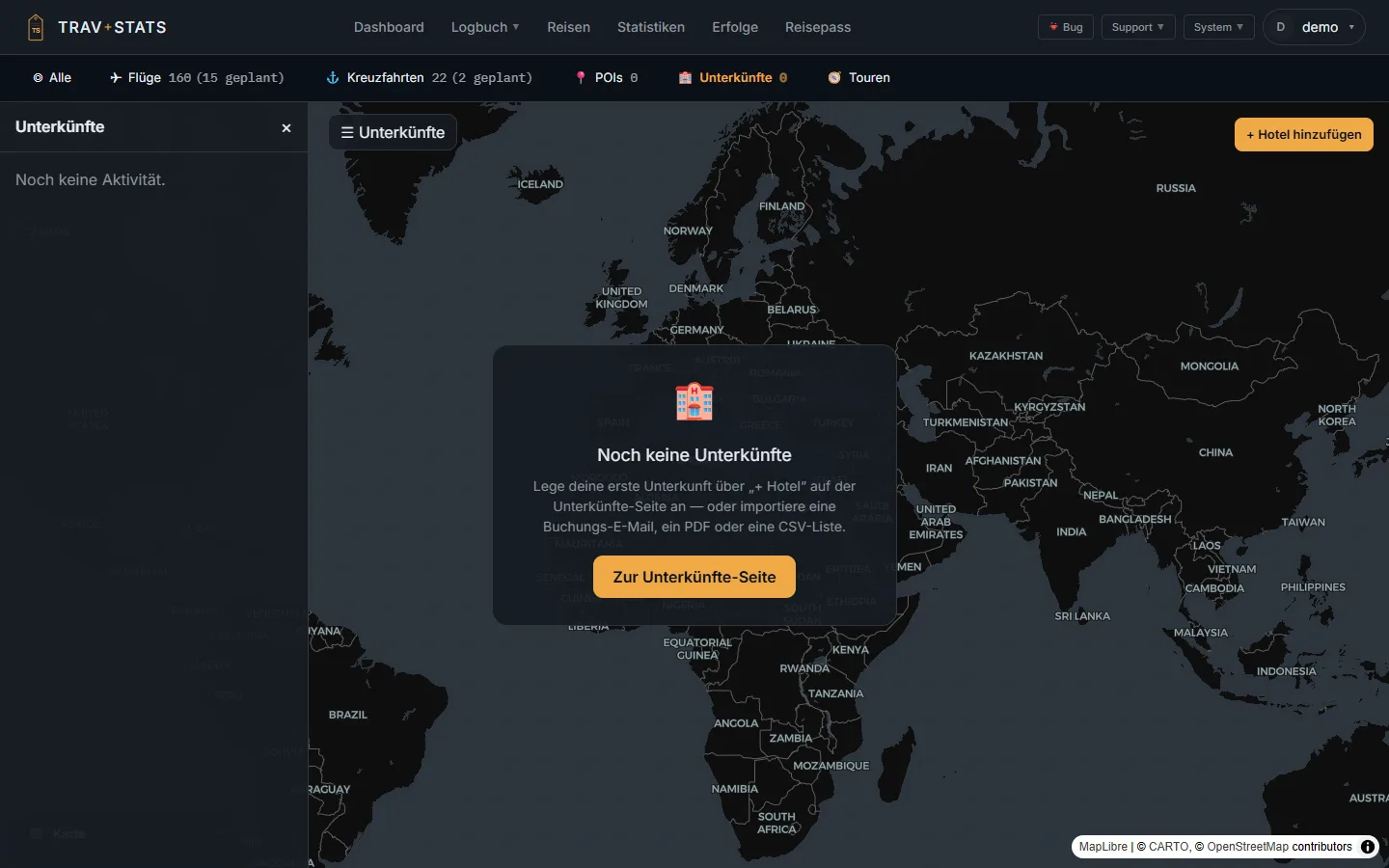
The lodging tab before the first hotel is in
A fresh instance lands on a starting point, not an empty map: add a hotel, or import a booking email, a PDF or a CSV list. The demo account has no stays, which is why the map is empty here. German interface shown; the app is available in English too.
Countries
A country counts by what proves you were there, not by where a flight touched down. The old number was too high and too low at once: a four-hour connection counted as a visit, while a country reached by car and slept in for a week did not exist at all. Every country now carries its strongest evidence.
Slept
A completed stay, a house on record, a port call over a night — or arrival and departure on different local days.
Visited
A same-day stay or a recorded place. A day trip is not a connection: MUC–FCO–FRA is a day in Rome.
Transited
Driven through, read from the location history of a Dawarich connection. The rung appears only once an account has location history.
Connection
Changed planes and nothing else. Left out of the headline by default — but greyed in the list, never hidden, because flights are recorded incompletely.
How strictly countries are counted is a setting: an instance default that every account may override. The choice is one of the rungs — there is deliberately no hours threshold, because six and twelve hours returned the same countries on a real account. Data that contradicts itself — an address in a different country than the stored one, a check-out before its check-in — lands as a question in the inbox. Nothing is corrected silently, and no flag changes a number by itself.
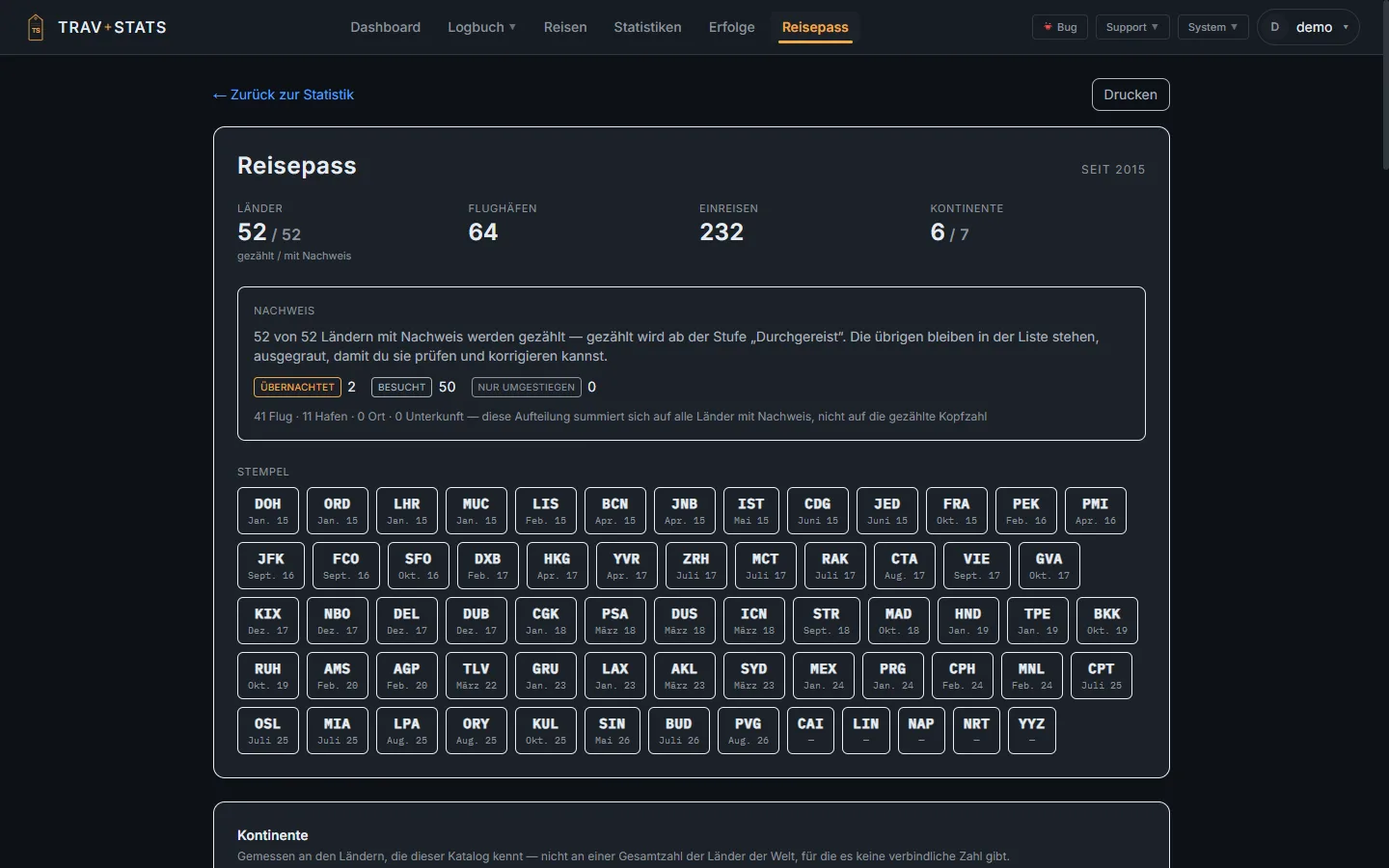
The passport — behind the beta switch
Every counted country names its rung and the records behind it; expanding a row lists the flights, cruises, places and houses with a link each. The counting rule applies to everyone — only this page is beta. German interface shown; the app is available in English too.
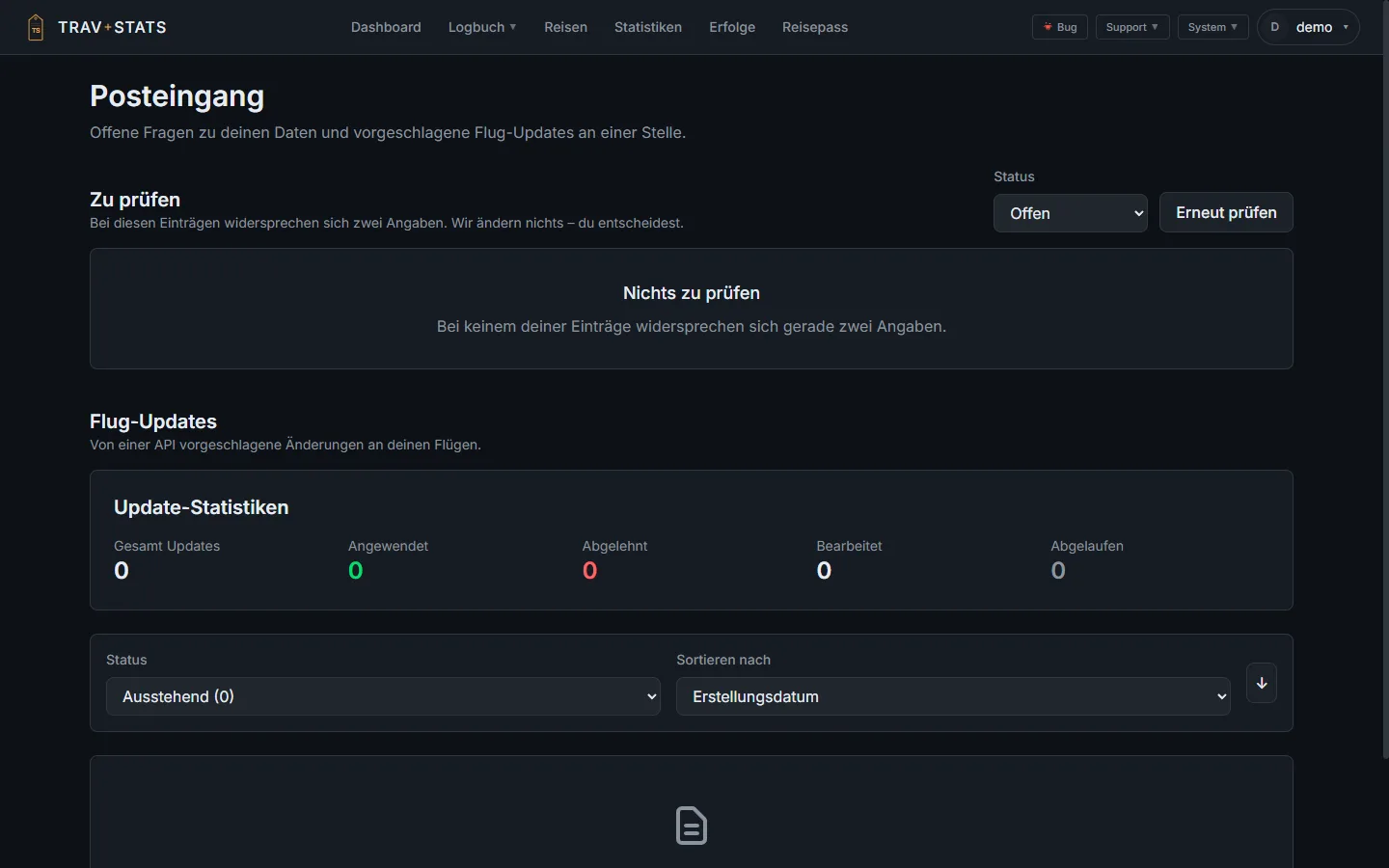
The inbox
Open questions about your data and proposed flight updates in one place. Each question states both values and marks neither as correct. Always in the menu; the badge alone says whether anything waits.
Money
A price may be recorded in any of the 155 ISO-4217 currencies — the one you actually paid in. Conversion asks the European Central Bank first, authoritative and self-hostable, back to 1999; for the currencies the ECB does not publish, a free, keyless dataset that you as the operator can switch off entirely.
Where no source has a rate, the amount stays in its own currency, is marked "no rate", counts towards no total — and the total says how many entries it left out. You may enter a rate yourself; it is always shown as yours, never as an official one. Cruise money is reported per currency and never summed. 300 USD and 300 EUR no longer become "600 €" anywhere.
Money & currencies in the user guide →Example · hotel spend 2025
€4,812
from 11 stays — 2 without a rate, not included
Illustration with made-up numbers. The wording — "no rate", "your rate", "not included" — is the app's.
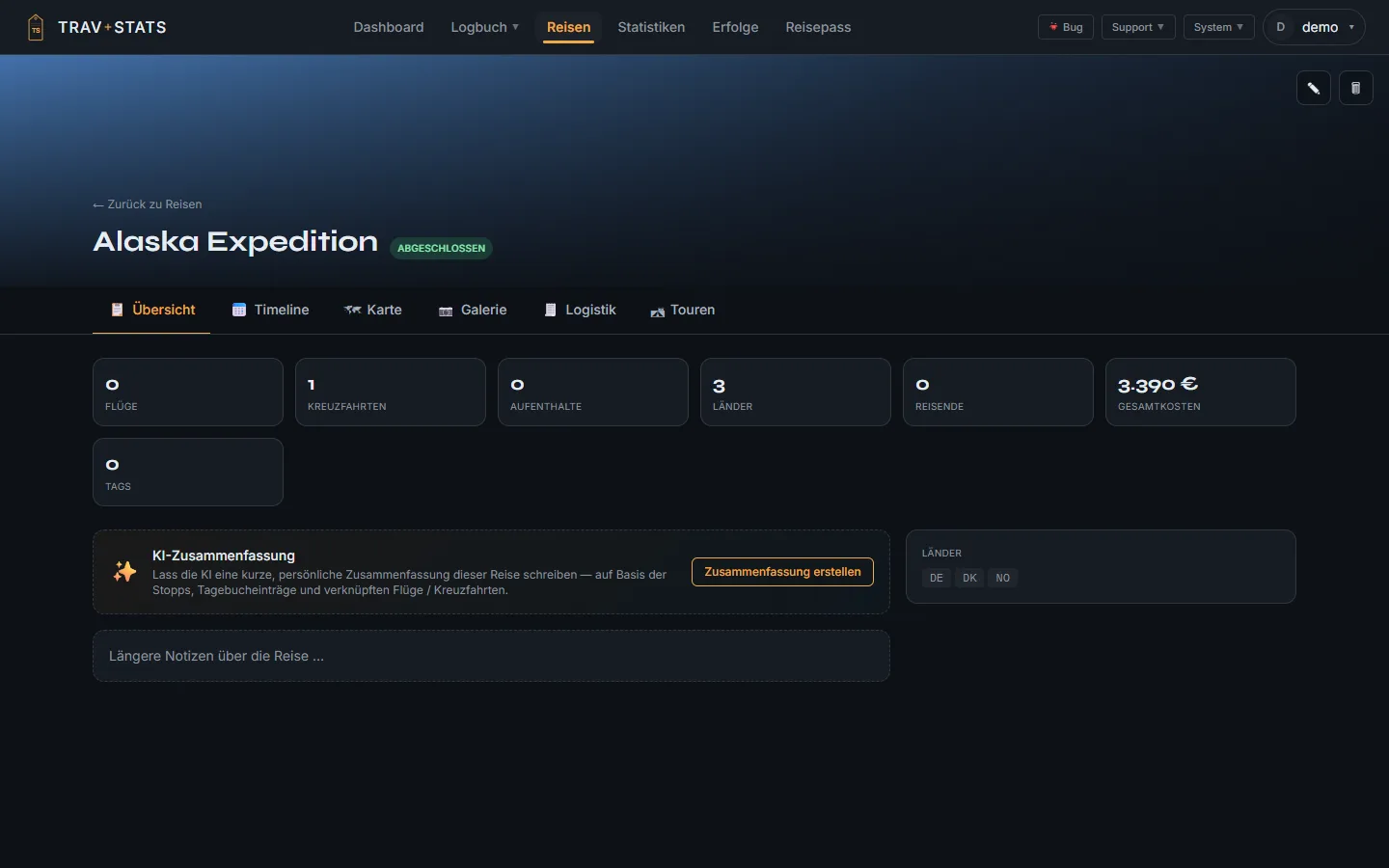
A trip that holds it all together
Flights, cruises, stays and places hang off a trip; it counts countries, travellers and the total price. The Tours tab and the AI summary are visible on this demo account because its beta switch is on. German interface shown; the app is available in English too.
Import & export
The whole logbook exports to one spreadsheet — a sheet per table: flights, cruises and their stops, houses and their stays, places and their visits — and comes back. Column A carries the id: a row that returns with one updates the record it names; a row without one is created. Airports travel as IATA codes, because a code is what you can type and check.
Security
A travel logbook knows when you are not at home. Since 2.6.0 you can lock your account accordingly.
TOTP from any authenticator app, with single-use recovery codes. The second factor is asked before a forced password change, never after — a test pins the order.
A passkey replaces the password entirely and counts as the second factor at the same time, because it proves possession plus a local gesture. Sign-in asks for no name, so your password manager can offer the key itself. An administrator can reset a locked-out second factor.
The page carries a CSP; scripts come only from your instance. The emoji database behind the list-symbol picker is served by your instance too, not by a content network — so it works on an installation with no way out to the internet.
Every API response is Cache-Control: no-store by default, because a shared cache was observed serving one signed-in user's response to another. The session lives in an HttpOnly cookie, never in local storage.
Beta
Unfinished areas sit behind a switch in the admin settings. Off is the default; turn it on to test. The admin panel lists what the switch turns on — read from the same registry the app itself checks, so it cannot claim something the build does not do. Each entry says why it is still hidden and what brings it back.
A domain of its own with lists you build yourself, curated checklists — the wonders of the world, the UNESCO World Heritage List with 1,247 sites, national parks, museum warships — and the import of saved Google Maps lists. The routes are live for the API and the Companion; the web panel waits for the rest of the domain.
Stamps, a continent band and the country table with the evidence per country. Complete and agreeing with the statistics page, but it landed in the middle of a release candidate — so it sits here until it has had a release review.
A trip walked, driven, cycled or taken by ferry — sections with their own line on the map and a route editor worked with the mouse. Works end to end; the owner ruled it unfinished.
TravStats Companion is in testing. Pairing a phone — the Devices section where a claim code is minted — sits behind the switch. No store listing, no date.
The connection to a Dawarich instance supplies recorded tracks for tours and the "transited" rung. Coordinates live only for the length of one run; what is stored is the day, the country and a count of fixes.
A colour of your own per domain instead of the brand's — open is whether an instance may repaint its own domains. And the AI summary of a trip, waiting for a finished Trips page.
Personal world records
Every TravStats user lands here eventually — surprised by their own travel history. The figures below are illustrative, but the categories are real.
270+ quiet little brags
Every flight, every cruise, every hotel night and every place you log unlocks more than a line in a database. TravStats hands out 270+ achievements across eight categories — for the long-haulers, the hotel-chain collectors, the country collectors and the lovers of odd coincidences: Friday the 13th, a palindrome date, a 777 flown on a 777. A badge is dated only on a genuine unlock, and one earned stays earned.
Touch down in 25 different countries.
Survive a single flight 12 hours or longer.
Sail your first ship.
Cover the Earth's circumference — 40,075 km logged. 14,206 km to go
Stay with three different hotel chains. 1 of 3
Visit places in five different cities. Places are a beta domain
+ 270 more — from Equator Crosser and Antimeridian via Not Picky (three kinds of lodging) to Fleet Visit (ten museum warships). You unlock them as you go; TravStats backfills them retroactively when you import old flights, cruises or stays.
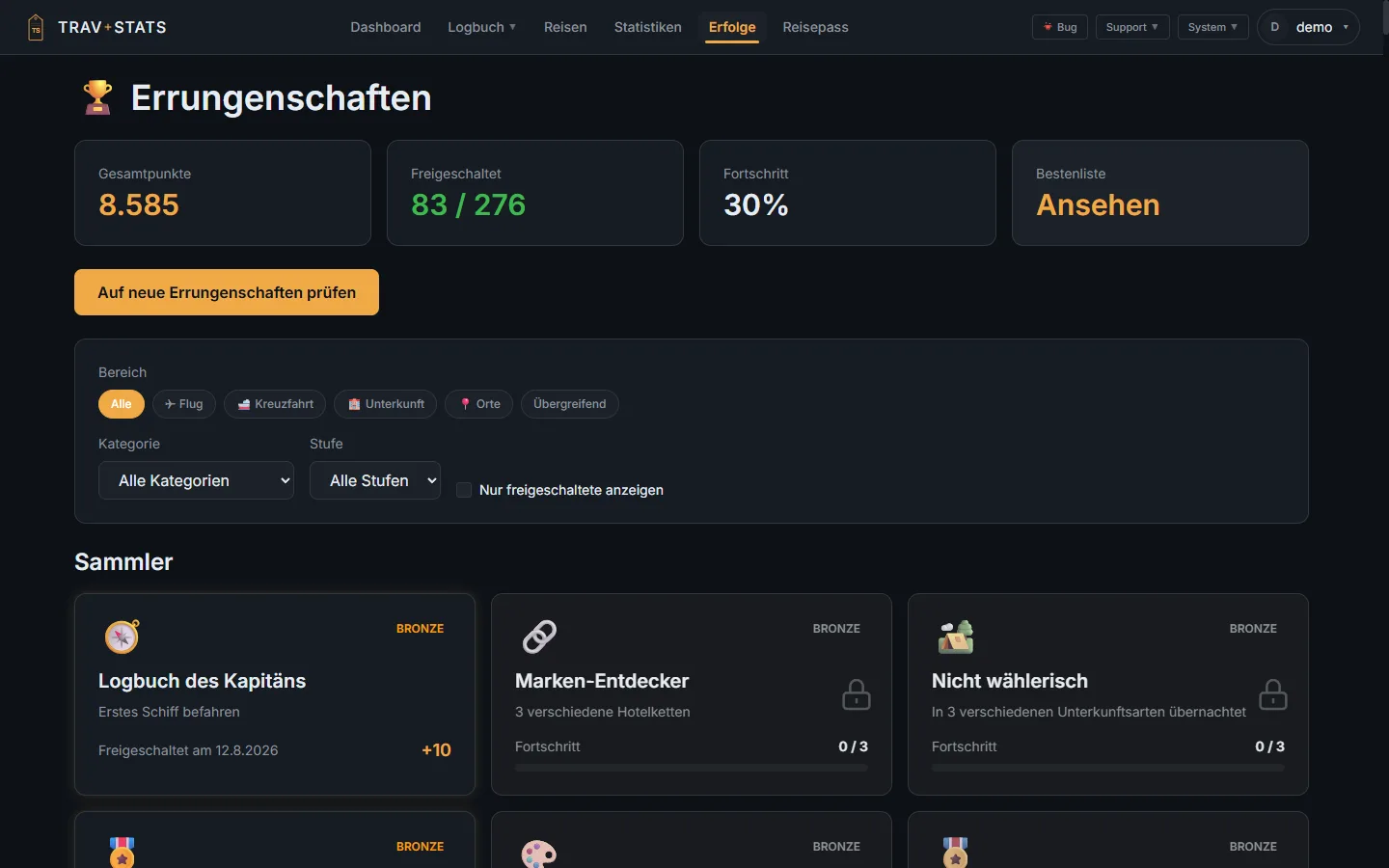
The achievements page
Filtered by domain, category and tier; every badge shows its progress. The demo account stands at 83. German interface shown; the app is available in English too.
Plays well with your stack
A single Docker image and a Postgres container. If you can run containers, you can run TravStats.
Or any Linux box with Docker. The wiki has setup notes for each platform.
Set up takes about ten minutes. The wiki walks you through every step.
Frequently asked
Nothing without your say-so. TravStats reads bookings, stores data and renders maps on the server you run it on. No cloud account, no analytics; the anonymous usage statistic is opt-in and can be switched off. Three things go out by default: map tiles from OpenStreetMap-compatible tile servers (self-hostable), airline logos from a public logo service that learns only the airline code (offline, the logo is simply missing), and a request to GitHub every six hours asking whether a new version exists (fails silently offline). Optional, and only when configured: exchange rates from the European Central Bank and a free rate dataset for the currencies the ECB does not publish (can be switched off); geocoding, when you let an address be derived from a pin; flight-data APIs, when you enter keys; and Ollama, when it runs on another machine.
Yes. With a self-hosted tile server (or pre-cached map tiles) and no optional services configured, TravStats depends on no external service. The map and globe work air-gapped; amounts in a foreign currency then stay in their own currency and are marked "no rate" rather than guessed.
Your data lives in a Postgres database in a Docker volume on hardware you own. Nothing about that changes if the project goes quiet. The schema is documented; a full backup and the spreadsheet export put every flight, cruise and stay into a portable format any time.
No. TravStats is happiest at http://travstats.lan:3010 on your local network. If you want HTTPS or remote access, a Cloudflare Tunnel or Tailscale link is the friendliest option — both work without exposing ports.
Little. A flight record is a few kB; even thousands of flights stay well under 100 MB of database. The Docker image itself is around 200 MB. Only the photos you upload to trips, hotels or places come on top, as files in the data volume — as large as you make them.
Yes. TravStats ships three dedicated importers: a Flightradar24 importer that takes the unmodified my.flightradar24.com CSV export, a universal CSV mapping wizard that auto-detects column headers (OpenFlights, FlightDiary, custom spreadsheets) and shows a preview before commit, plus the spreadsheet export of the whole logbook, which comes back in. Every import can be taken back as a whole. Details in the User Guide → Import & Export and under Spreadsheet; FlightDiary column mapping is on the comparison page.
A companion app, TravStats Companion, is in testing. Pairing a phone with your instance sits behind the beta switch, which is off by default; there is no store listing. The web UI is fully responsive and works well on a phone; a home-screen icon makes it feel native.
Documentation
From your first docker compose up
to the API — the docs are part of the project. Open source,
versioned, no tracking.
Installation, first-time setup and the initial login.
Flights, cruises, hotels, countries, maps, statistics and achievements.
Email parser, boarding-pass OCR and custom templates.
Optional services for flight data, OCR, mail and location history.
REST API and personal access tokens for scripts.
Backups, database, reverse proxy and admin panel.
How does TravStats differ from other tools?
When something breaks — common issues and how to fix them.
Full overview in the wiki — searchable, with sidebar and full-text search.